What are Websockets ?
What are websockets ? why do we need them ?
Imagine you and your friend are working on the same online whiteboard.
You draw a circle.
Within milliseconds, your friend sees the circle appear on their screen.
Then your friend draws a rectangle.
Instantly, you see it on your screen.
Both of you are continuously sending and receiving updates at the same time.
Now to achieve this functionality there are several method's
- Polling (Long, Short)
- Server Sent Events.
- Web Sockets.
Each methods has its pro's and cons.
Now let's see how different technologies handle this.
1. Polling
Every few seconds your browser asks:
"Has anything changed on the whiteboard?"
If yes, the server sends the latest drawing.
If not, the server responds with nothing.
The problem is that you are also making changes.
Whenever you draw a new shape, your browser must send an HTTP request to the server.
So you're constantly doing two things:
- Sending drawing updates
- Polling for new updates
This creates unnecessary network traffic and noticeable delay.
2. Server-Sent Events (SSE)
SSE improves this by keeping one HTTP connection open.
Now the server immediately pushes drawing updates to your browser whenever another user makes a change.
However, your browser still cannot send drawing updates through the SSE connection.
Every time you draw:

When another user draws:

So communication still happens using two different mechanisms.
3. WebSockets
WebSockets create a single persistent connection, now when ever anyone draws.
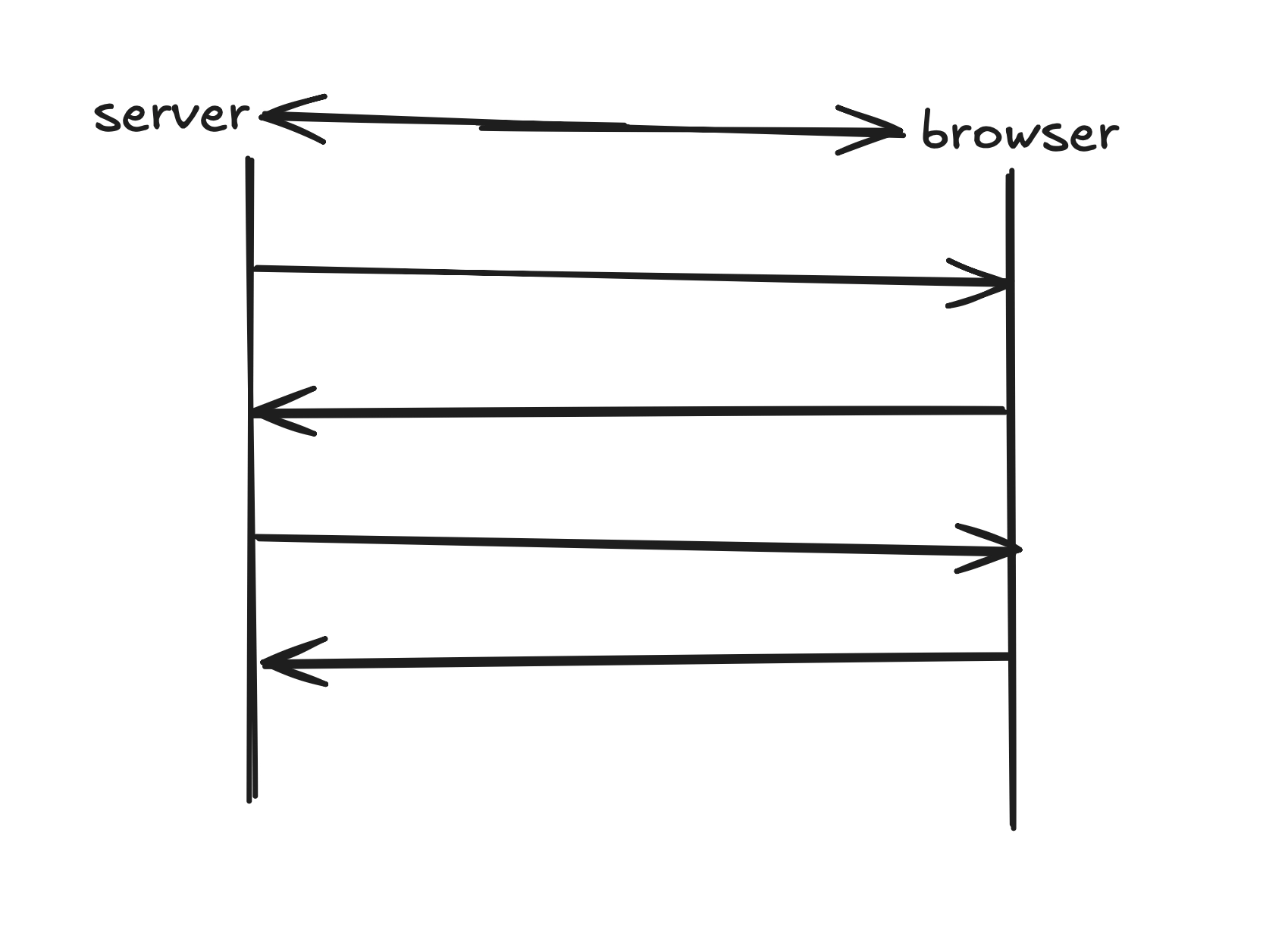
The same connection is used for:
- Sending drawing updates.
- Receiving drawing updates.
No, repeated HTTP request.
No polling.
No Second protocol.
Everything flows through one persistent connection, below is simple code snippet to understand how client and server communicate with each other.
Client
1. Connects to server.
const socket = new WebSocket("ws://localhost:8080");

socket.onopen = () => {
  console.log("Connected to server");
};
2. Sending a message (Emit)
Whenever the user performs an action (e.g., draws a line on a whiteboard):
socket.send(
  JSON.stringify({
    type: "draw",
    x: 120,
    y: 80,
  })
);
Here, the client is emitting an event to the server.
3. Receiving a message (Listen)
Whenever another user draws, the server sends an event back:
socket.onmessage = (event) => {
  const data = JSON.parse(event.data);

  console.log(data);

  // Draw the shape on the canvas
};
Server
1. Server receives the message
Using the popular ws library in Node.js:
wss.on("connection", (socket) => {
  socket.on("message", (message) => {
    console.log(message.toString());
  });
});
2. Server broadcasts to everyone.
wss.on("connection", (socket) => {
  socket.on("message", (message) => {
    wss.clients.forEach((client) => {
      if (client.readyState === WebSocket.OPEN) {
        client.send(message.toString());
      }
    });
  });
});
Every connected client instantly receives the update.
The Complete Flow.
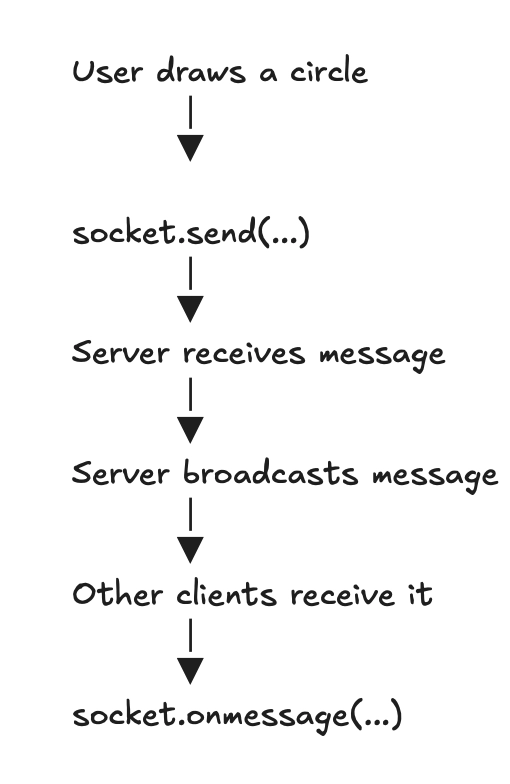
This is just a simple tutorial to understand what is websocket and how it works.
To understand more about it checkout MDN WebSocket Docs